MCIM · Products & Software · UX Products & Apps
MCIM Product Design & Research
- Agency
- MCIM by Fulcrum Collaborations
- Project Type
- Product Design
- My Role
- Principal Product Designer
The Ask
During my time with MCIM (An asset management and critical maintenance platform for data centers and global banking firms built overtop of Salesforce) I have conducted dozens of discovery and research initiatives, developed a design system library, and been the lead product designer, leading and mentoring a product designer on the team. The following is a small selection of that work. Project Overviews
Projects
- Mobile Add Design and MCIM NS Design System Development
- AI Prompt built coded prototypes production ready with Claude Code, Github, Design Standards, in Salesforce Scratch Org Branches
- Iconography Library creation and management
- Design system and management using Figma with Salesforce Libraries and Custom Design Assets
- Module refactoring to new Salesforce LWC components from old visual force pages
- Numerous new module concept designs and redesigns for areas of the platform such as asset management, critical maintenance planning and scheduling, compliance and safety, incident reporting and tracking, incident assessments, third-party portal system access, and work order/change request management
- New analytic benchmarking component designs
- Creation and design of a dynamic custom 52-week Planner Calendar
- Creation and design of a self-serve platform Permit To Work request system
- Design of an Asset Health Score Card based on asset life, parts available, and various balance inputs
- Redesign of complex user positions and responders notification system for critical maintenance alerts
- Design, Naming, and branding of platform-wide AI Assistant System “Site Chief”
- Created process and strategy for UX User Research process (included the creation of User Tests and Surveys for Mixed Research Design Qualitative and Quantitive methods)
- Creation and design of in-product feedback research tools
To see details of the work and more examples please contact me directly.
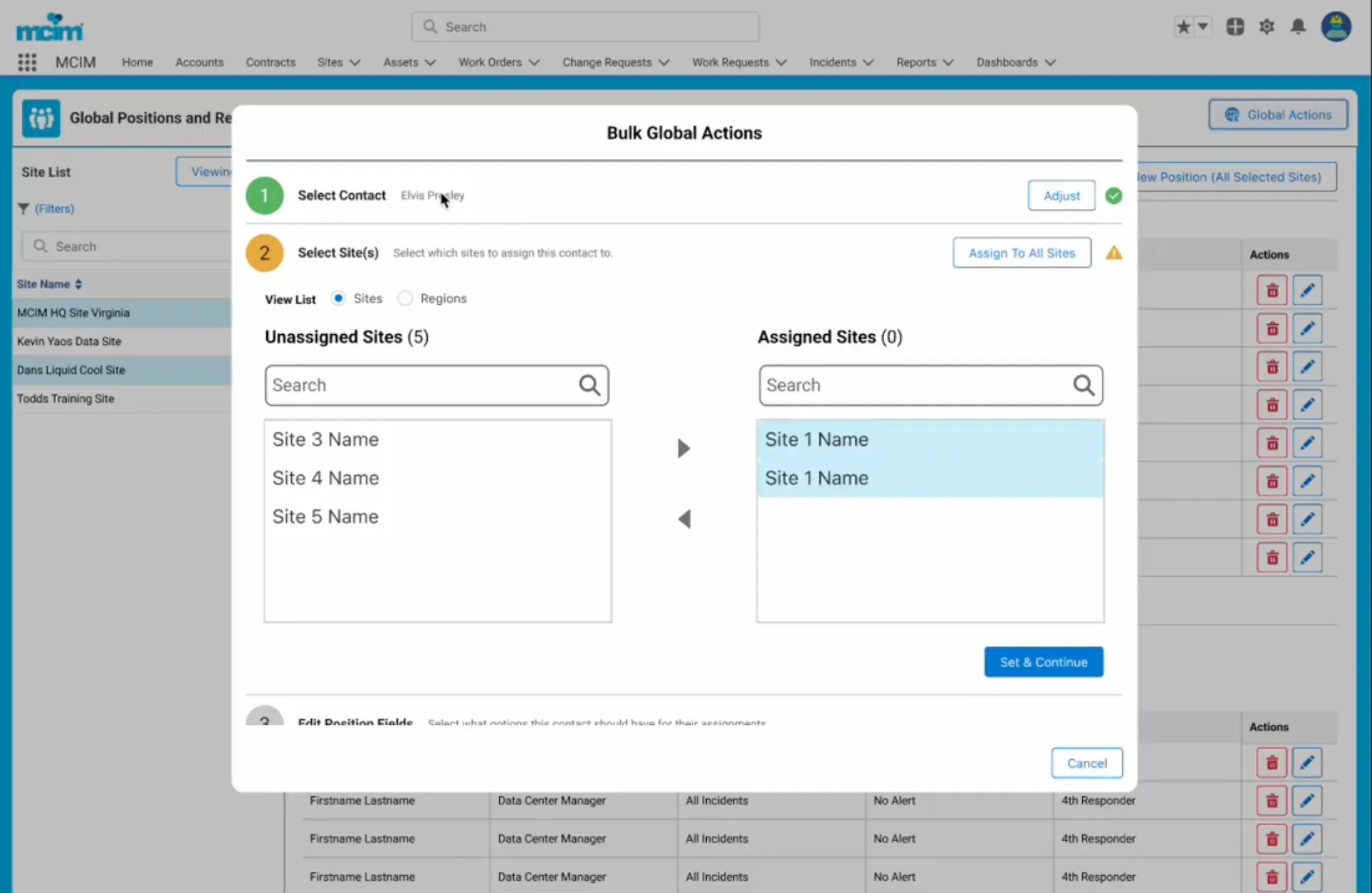
Project: Positions & Responders
What was it in one sentence
When you deal with complex potentially life affecting maintenance who is able to approve changes and be notified during incidents or alarms.
The Problem
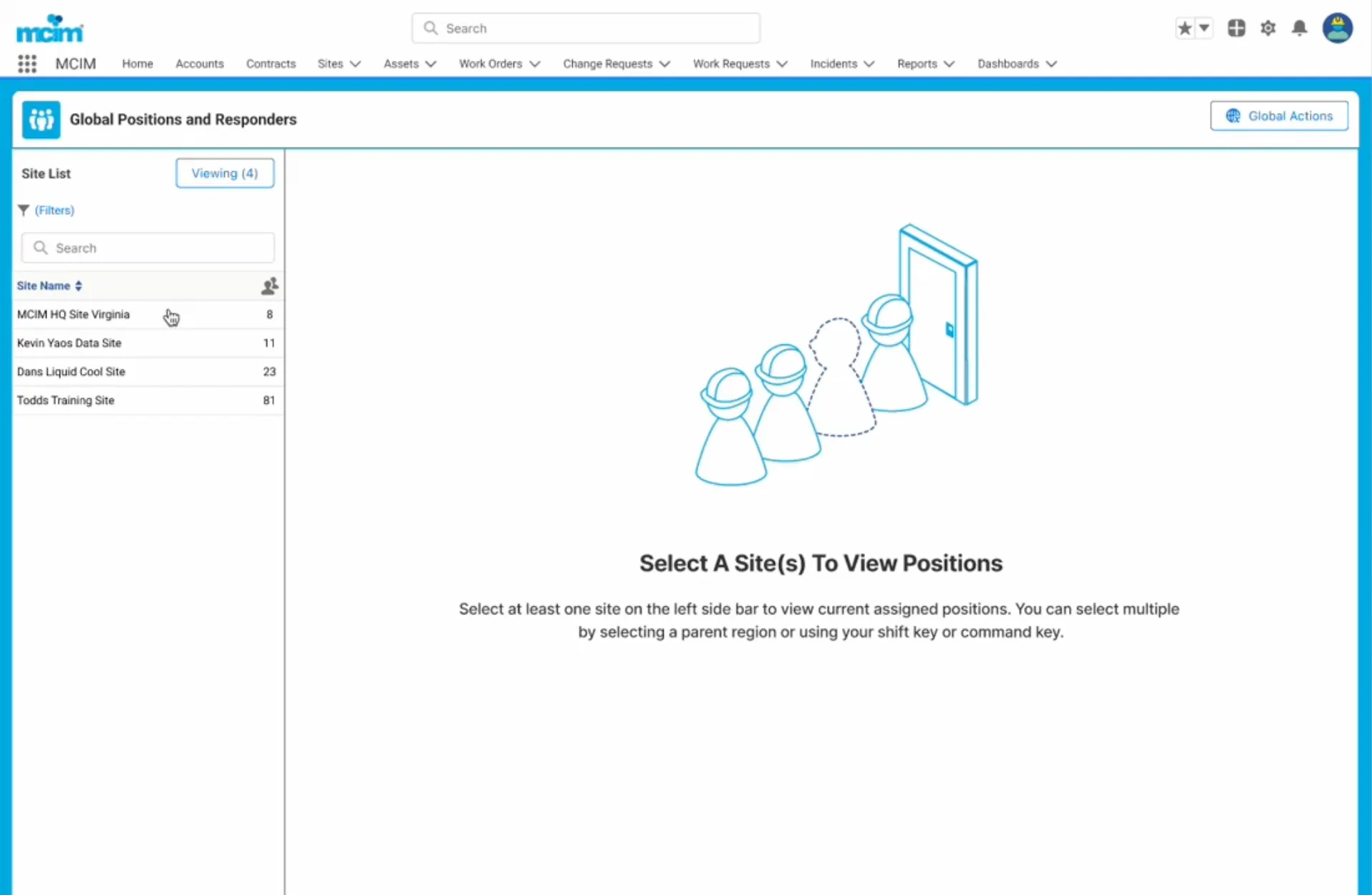
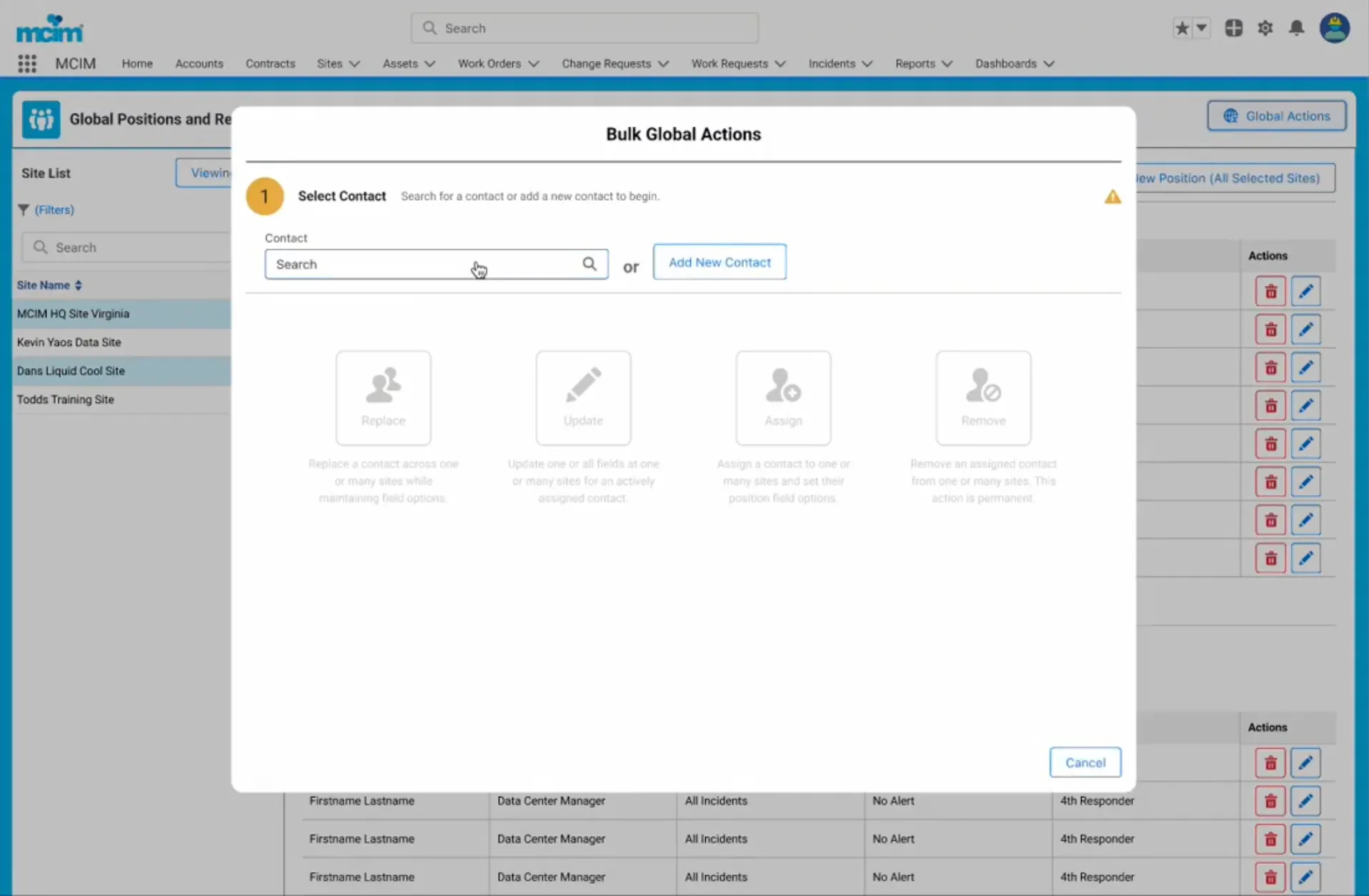
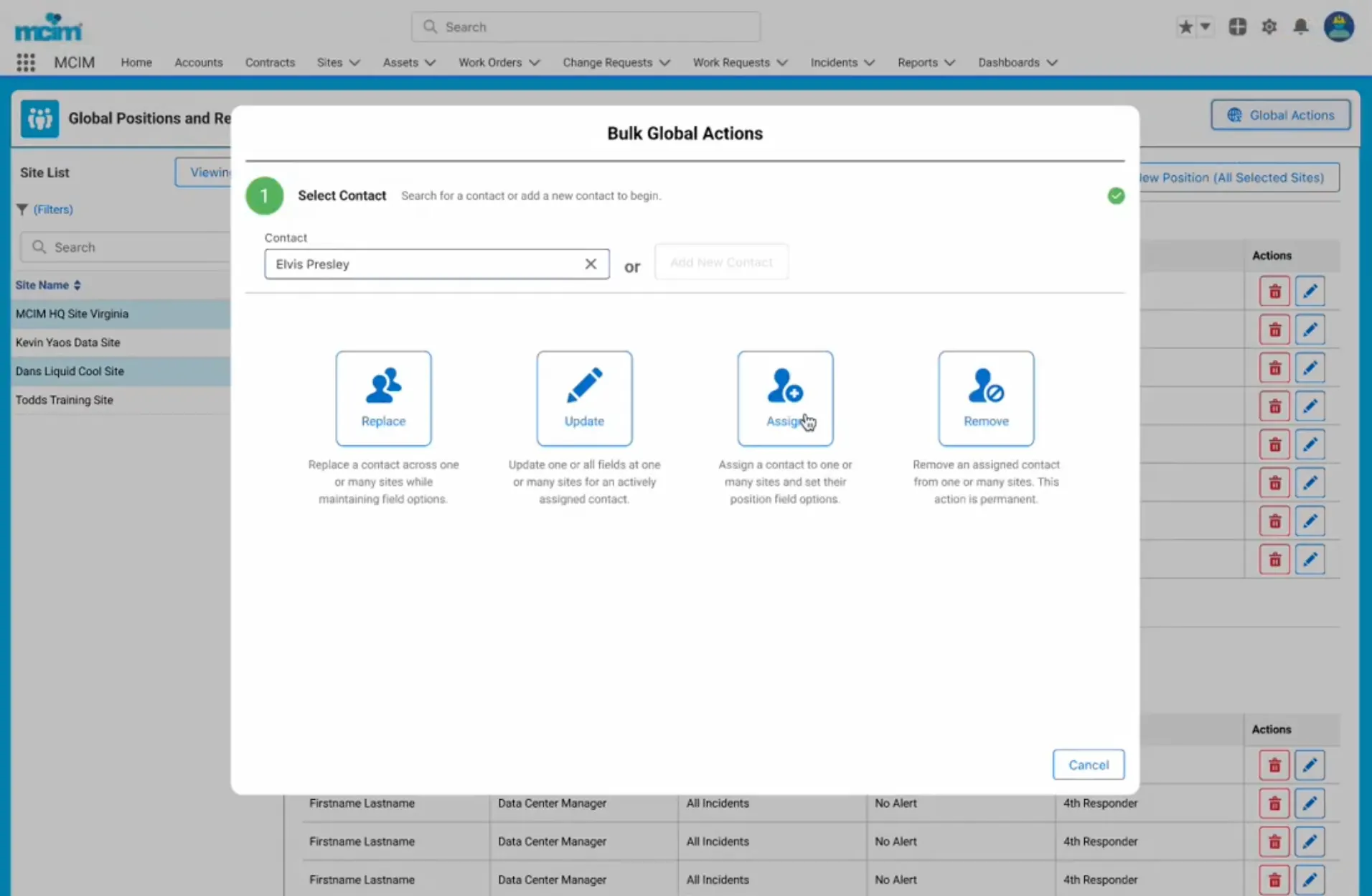
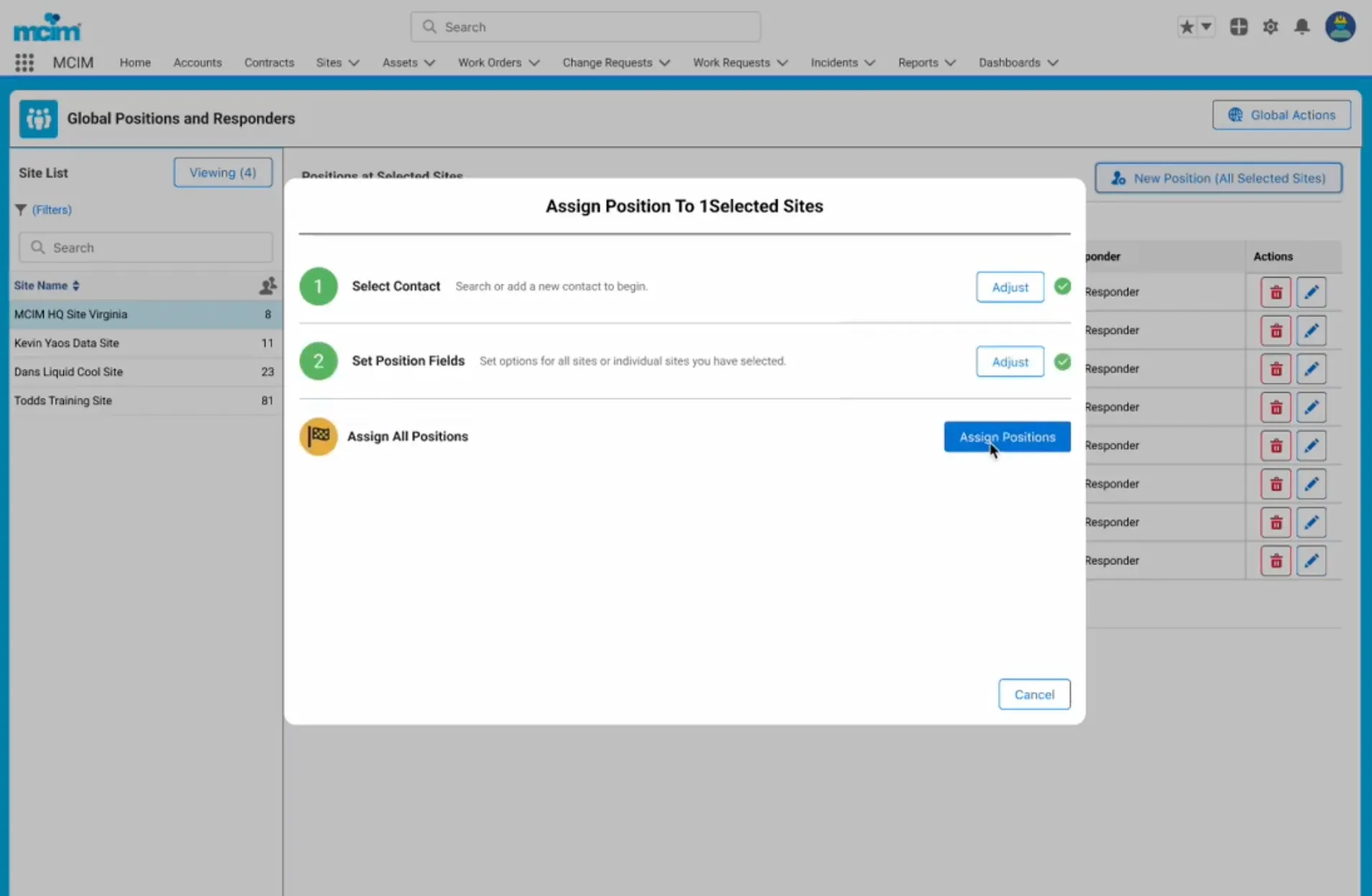
How do you easily manage multiple users over multiple physical site locations who each have a variety of unique permissions sets and notification options that may differ for each location?
The Solution
Redesign our Positions & Responders module into a easy to manage library of users and settings like a library of records. Add clear bulk editing, creation, removal, and signup features to the list from the perspective of a single managed user with deep customization. That way the head office is able to add or remove an individual by their user account and email even if they have different settings over multiple locations.
Project: 52-week Calendar
What was it in one sentence
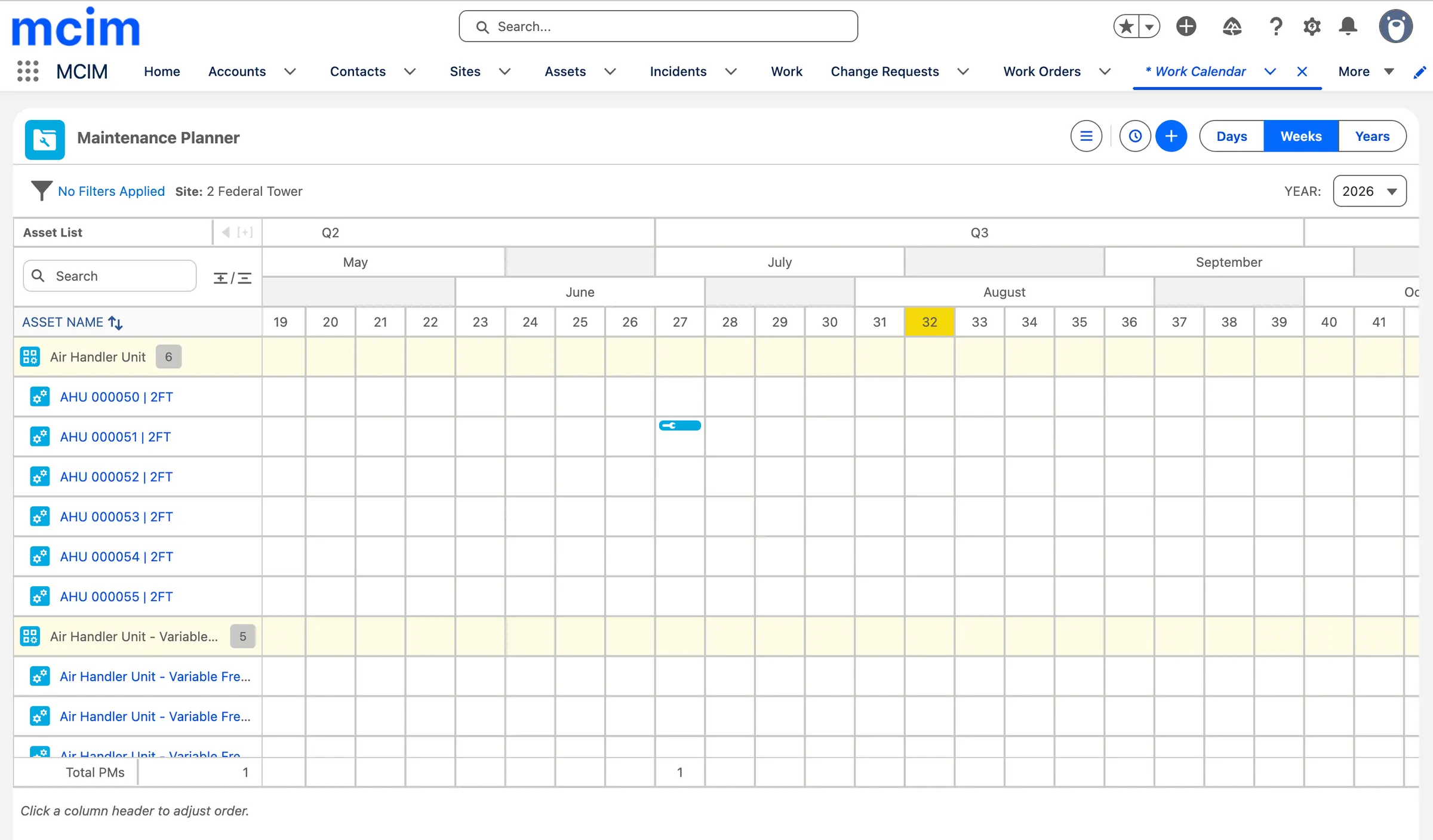
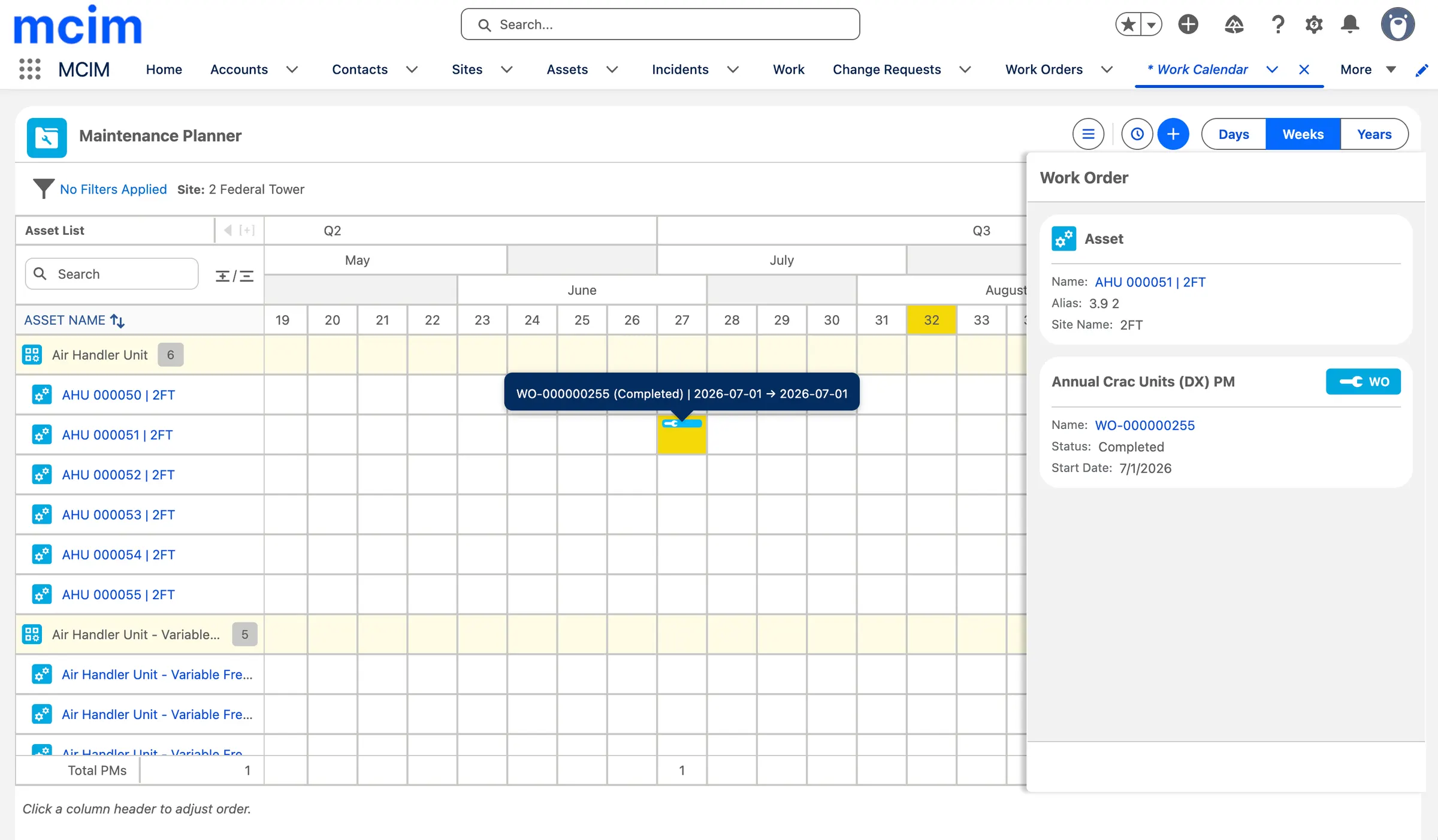
A different type of calendar that is common place in building maintenance but traditionally a massive excel file with shared access.
The Problem
Clients were scheduling work and assigning, but then exporting and hand building massive 52-week look ahead calendars in excel to share with their team and executives and data center clients so everyone knew what work was planned. Because of its analog nature it lead to hundreds of hours and multiple people having to constantly manage 2 versions of their work calendar.
The Solution
We built an in platform 52-week calendar with day/week/year views that listed every single asset at a site grouped by class with color coding, status and the ability to click a work and view details. We then built easy ways to export and import the data in CSV and PDF for presentations, allowing the users to stay in MCIM and export the latest data in seconds when needed. We are not expanding this calendar by merging other calendar views we have into it and adding creation and scheduling of work to create a single full year living view of one of the most complex critical maintenance planning environments in the world.
Project: Maintenance Requirements 2.5 Rebuild
What was it in one sentence
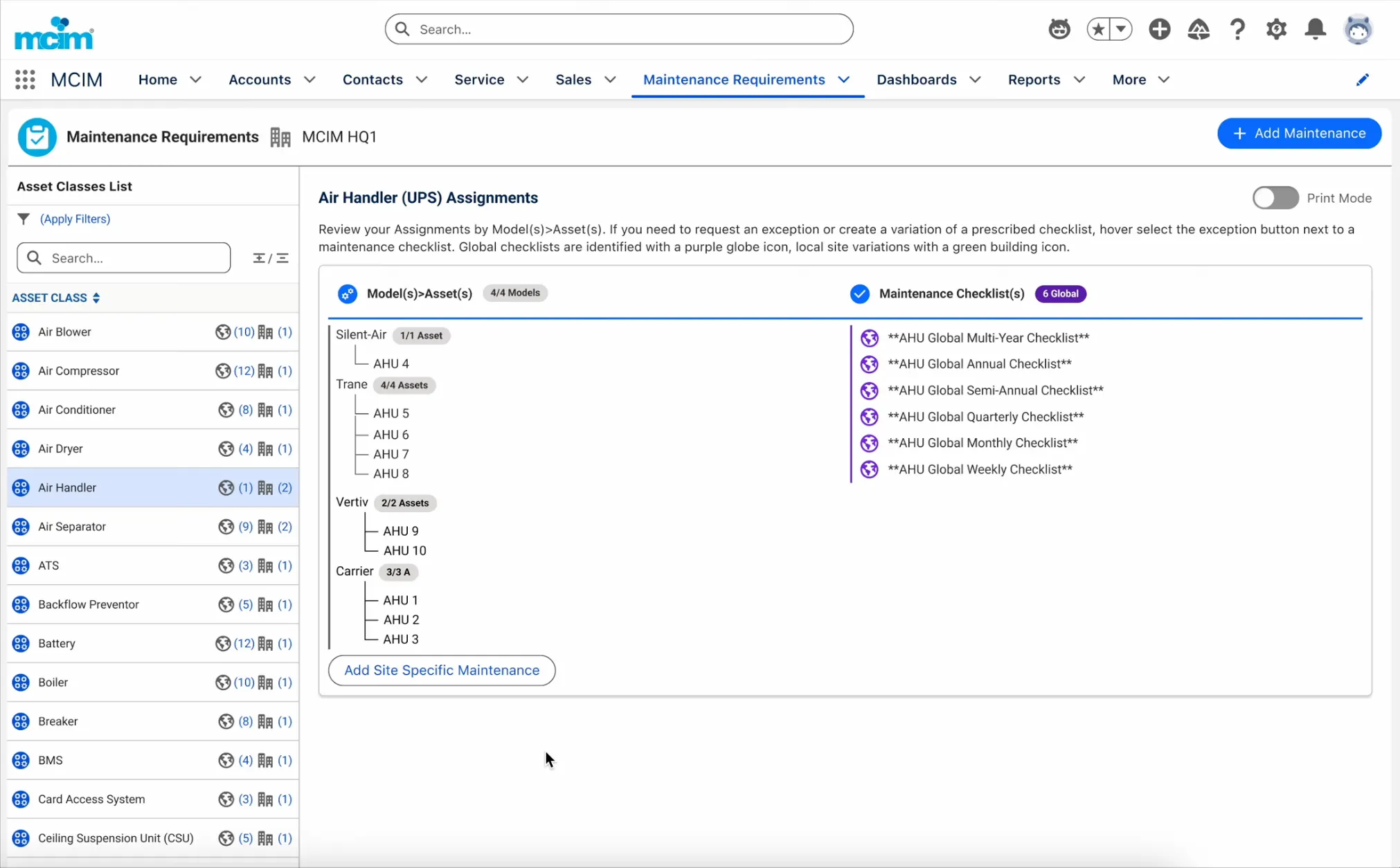
To prove work is done correctly as per manufacturer warranty and client SLA requirements MCIM has a built in complex Work Requirements and standards system, considered the most complex module on the platform.
The Problem
We had 2 versions. Each version had things clients liked, but migration stalled due to gaps in the 2nd version. This left users either stuck with the old who wanted more capabilities or already moved to the new but unable to do some of the things they used to do.
The Solution
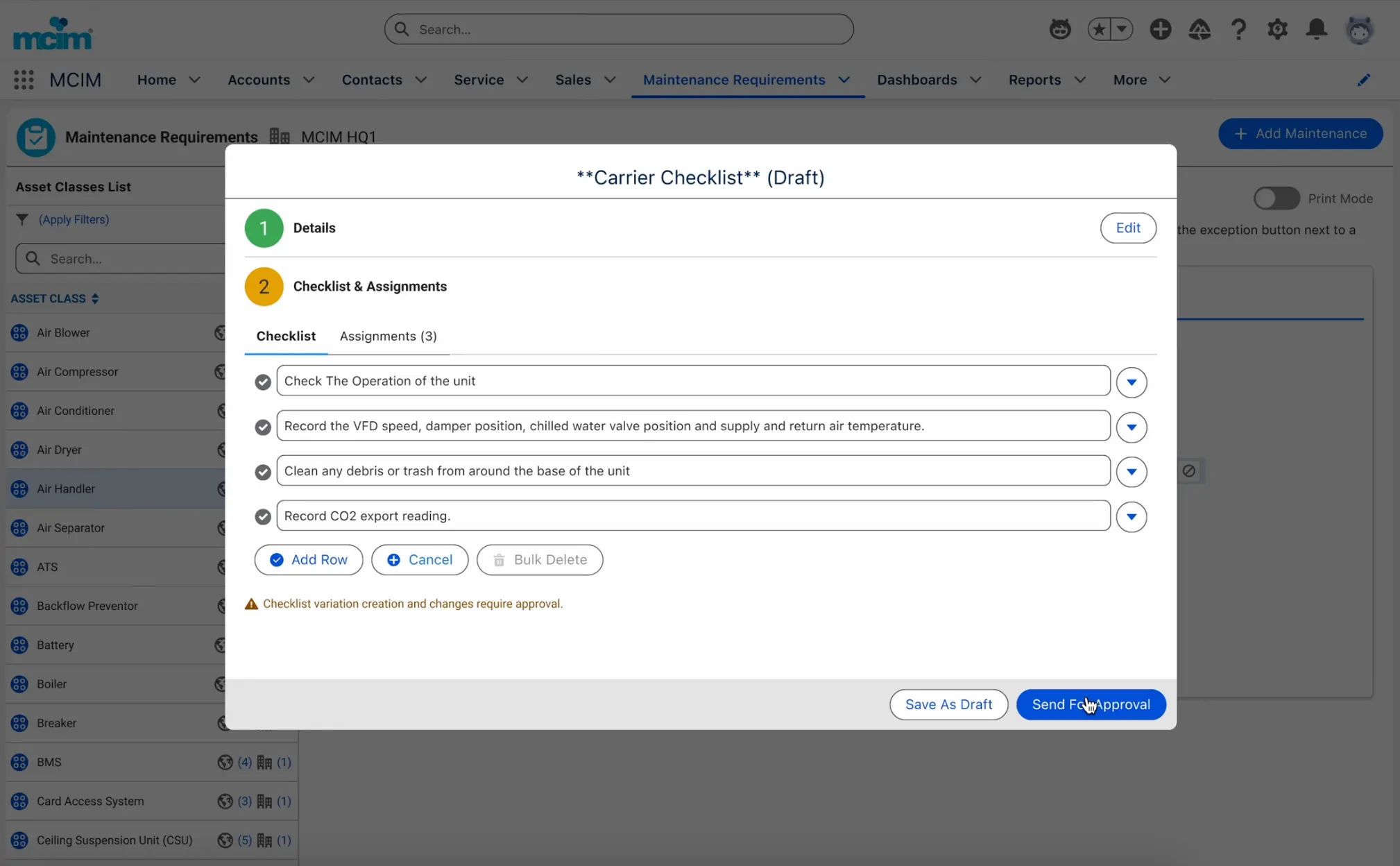
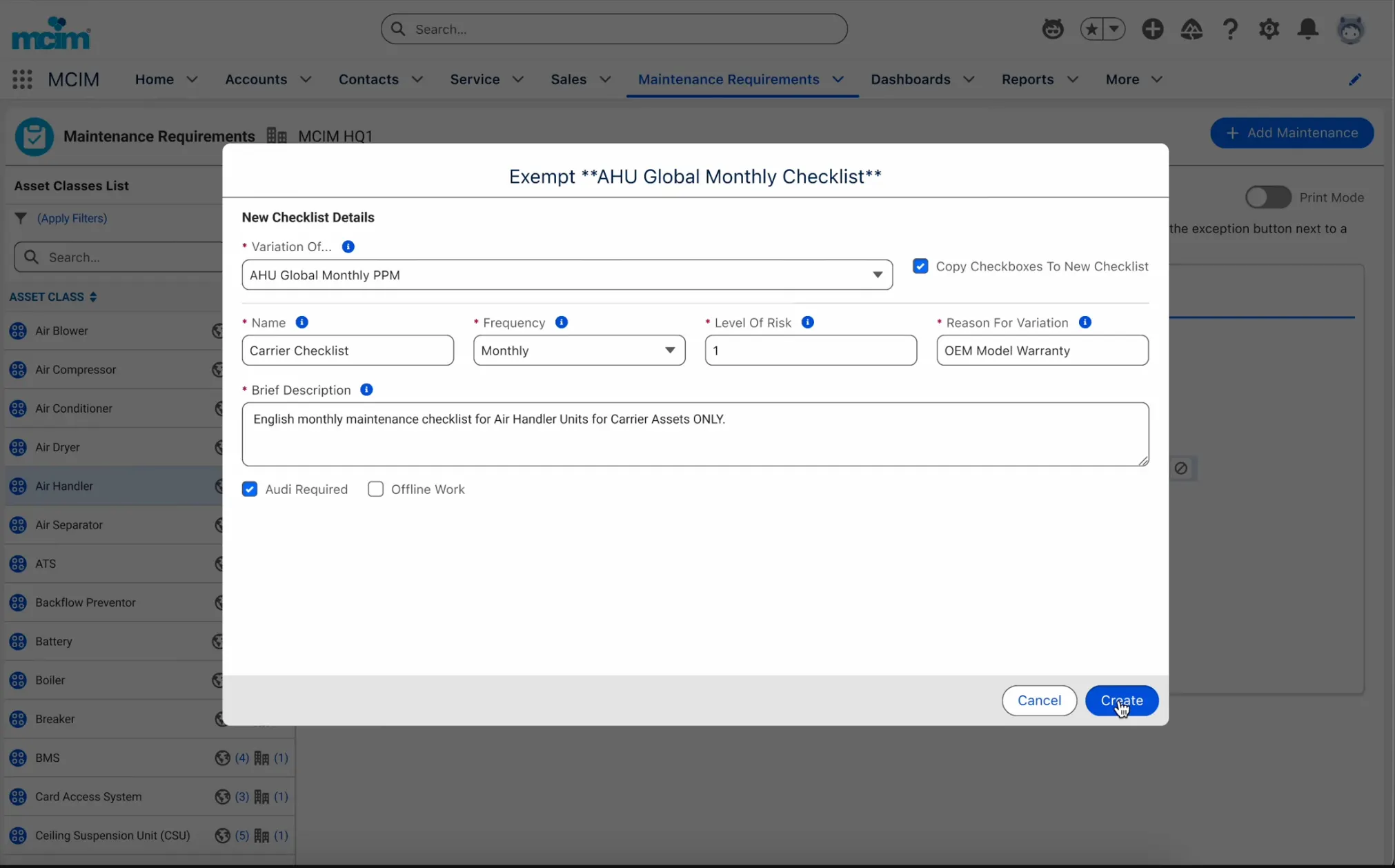
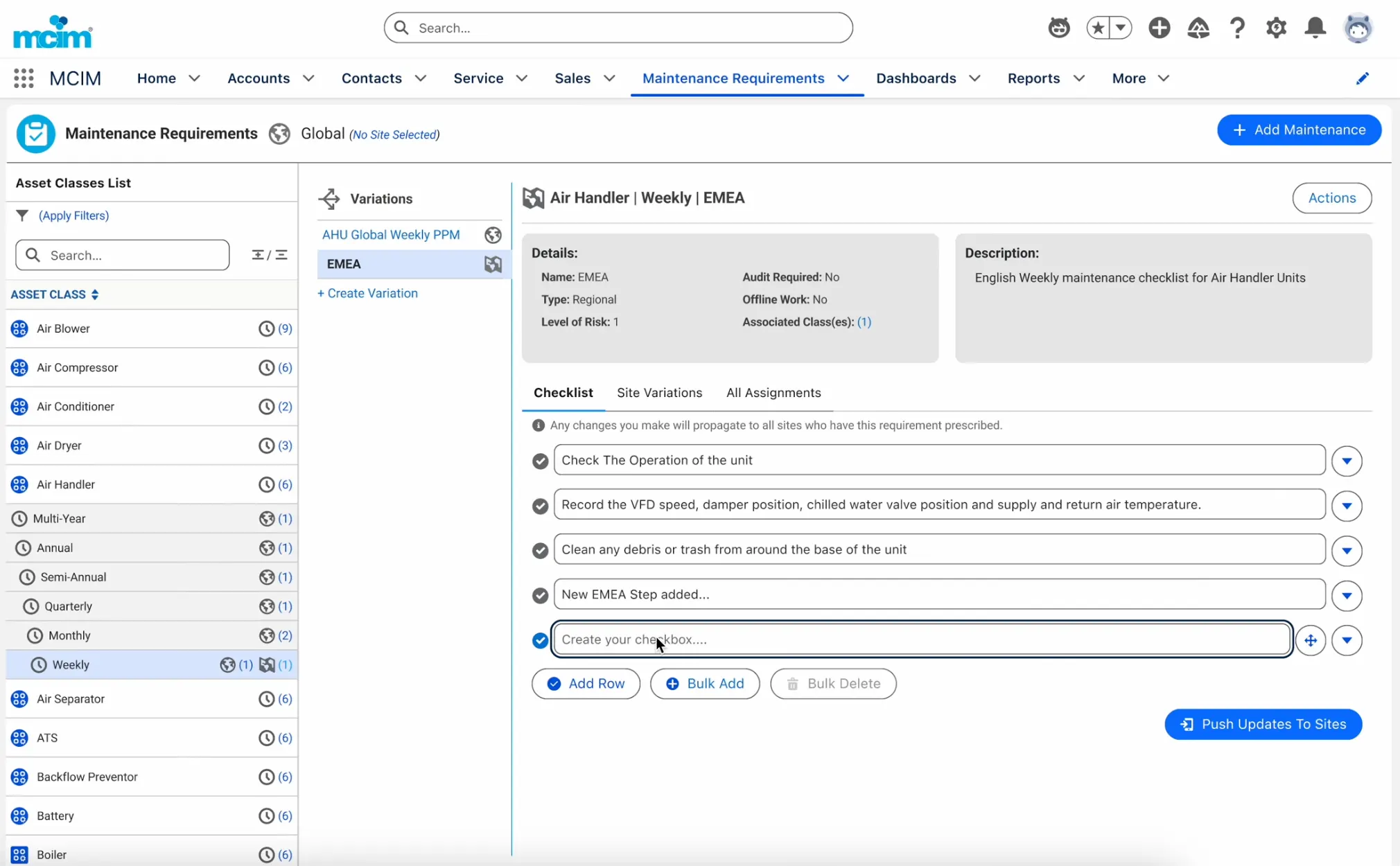
We worked with clients and internal customer service teams to map out the requirements of both systems and a list of ux and ui complaints and rebuilt a proper new version we called 2.5 (because it was able to keep the data model structure from 2.0 making migration only required for those who were still stuck on version 1.0). The RX system is a library of check list standards organized by asset classification (The parent grouping of assets) at a global, regional, and site level. Users can create and assign checklists, which then are used in work procedure execution for the technician to confirm that they completed the requirements during their procedure. This in turn covers them against possible incidents and SLA issues. It also gives a single group – often the head office who is NOT at a data center site but oversees dozens if not hundreds of sites around the world – the ability to monitor, manage, promote down and inherent up approved standards so that they don’t have to go down to the site level to manage via a robust variation, submission and approval system.